
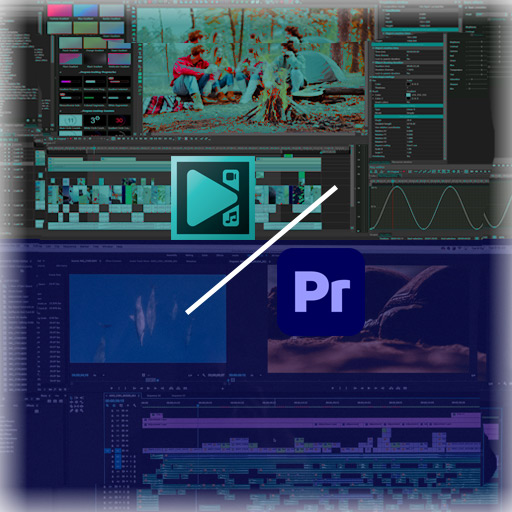
VSDC Free Video Editor Pro vs Adobe Premiere Pro
Which Video Editing Software Is Better in 2026?
Choosing the right video editing software can dramatically impact your workflow, creativity, and budget. In this detailed comparison, we’ll break down VSDC Free Video Editor Pro vs Adobe Premiere Pro to help you decide which one is best for your needs in 2026.
If you’re a beginner, YouTuber, freelancer, or professional editor, this guide will show you the differences in features, pricing, performance, and overall value.
Quick Comparison: VSDC vs Premiere Pro
| Feature | VSDC Free Video Editor Pro | Adobe Premiere Pro |
|---|---|---|
| Pricing | Free + One-time Pro fee | Monthly subscription |
| Platform | Windows only | Windows & Mac |
| 4K Support | Yes | Yes |
| Motion Tracking | Pro version | Advanced built-in |
| Hardware Acceleration | Pro version | Yes |
| Learning Curve | Moderate | Advanced |
| Professional Studio Use | Limited | Industry standard |
What is VSDC Free Video Editor Pro?
VSDC Free Video Editor Pro is an affordable, Windows-based non-linear video editing software designed for creators who want powerful features without expensive subscriptions.
It’s ideal for:
YouTubers
Beginners
Small businesses
Budget-conscious creators
Users with low-end PCs
The free version includes surprisingly advanced tools, while the Pro version unlocks motion tracking and hardware acceleration.
What is Adobe Premiere Pro?
Adobe Premiere Pro is a professional-grade video editing software widely used in film production, television, and digital media.
It is part of the Adobe Creative Cloud suite and integrates with tools like After Effects and Photoshop.
Premiere Pro is commonly used by:
Professional filmmakers
Agencies
Full-time content creators
Production studios
It’s considered the industry standard for high-end video editing.
1️⃣ Pricing Comparison
VSDC Free Video Editor Pro
Free version available (no watermark)
One-time affordable Pro upgrade
No ongoing subscription
Adobe Premiere Pro
Monthly subscription required
Higher long-term cost
Included in Creative Cloud bundle
👉 Winner for affordability: VSDC
If you're looking for affordable video editing software without monthly payments, VSDC is clearly the better choice.
2️⃣ Features & Editing Capabilities
Editing System
Both VSDC and Premiere Pro use non-linear editing systems, allowing flexible timeline management.
However, Premiere Pro offers:
Advanced color grading (Lumetri)
Multi-cam editing
Advanced audio tools
Seamless integration with After Effects
VSDC offers:
Color correction tools
Chroma key (green screen)
Motion tracking (Pro version)
Masking and blending modes
👉 Winner for advanced features: Premiere Pro 👉 Winner for value-for-money features: VSDC
3️⃣ Performance & System Requirements
If you’re using a low-end PC, VSDC Free Video Editor Pro performs better due to its lightweight structure.
Premiere Pro requires:
More RAM
Strong GPU
Higher system resources
👉 Best for low-end PCs: VSDC 👉 Best for high-performance workstations: Premiere Pro
4️⃣ Ease of Use
VSDC:
Interface can feel complex initially
Slight learning curve
Good for self-learners
Premiere Pro:
Professional interface
Steeper learning curve
More tutorials available online
For beginners, VSDC may feel less overwhelming financially, while Premiere Pro may feel overwhelming technically.
5️⃣ Professional Use & Career Growth
If you plan to:
Work in film production
Join a media company
Collaborate with agencies
Edit for large studios
Premiere Pro is often required due to industry adoption.
If you plan to:
Run a YouTube channel
Do freelance editing
Create marketing videos
Edit social media content
VSDC is more than capable.
Pros and Cons
VSDC Free Video Editor Pro
Pros
Free version with no watermark
One-time affordable upgrade
Lightweight software
4K export support
Cons
Windows only
Fewer high-end cinematic tools
Adobe Premiere Pro
Pros
Industry standard
Advanced editing & color grading
Integration with Adobe ecosystem
Used in professional productions
Cons
Expensive subscription
Requires powerful hardware
Steeper learning curve
Final Verdict: Which One Should You Choose?
Choose VSDC Free Video Editor Pro if:
You want affordable video editing software
You use Windows
You have a low-end or mid-range PC
You don’t want monthly subscriptions
Choose Adobe Premiere Pro if:
You work professionally in video production
You need advanced cinematic tools
You collaborate with industry professionals
You’re building a long-term career in film/media
For most beginners and budget creators, VSDC offers exceptional value. For professionals and studios, Premiere Pro remains the gold standard.














Leave a Reply