-

Learn how to implement Azure Blob Storage in Azure
Implementing Azure Blob Storage in Azure involves creating, configuring, and integrating it into your applications. Here's a step-by-step guide. Step 1: Create an Azure Storage Account The first step to using Blob Storage is to create a storage account. 1. Sign in to Azure Portal… [ Read More ]
-
Learn how to get started with Virtual Machines in Azure
Planning Virtual Machines (VMs) in Azure requires careful consideration of several factors to ensure that you meet your technical, operational, and financial requirements. This involves choosing the right VM types, sizes, storage, networking, and operational management strategies. Below is a structured approach to planning Azure… [ Read More ]
-
Learn how to deploy Azure File Sync
Deploying Azure File Sync allows you to centralize file services in Azure while maintaining compatibility with your on-premises systems. Azure File Sync transforms a Windows Server into a caching endpoint for your Azure File Shares, enabling tiering, synchronization, and disaster recovery capabilities. Here's how to… [ Read More ]
-
Learn how to delegate access to Azure Storage using Stored access policies
Stored access policies in Azure Storage allow you to create a reusable access policy that is associated with a container or blob and provides greater flexibility when using Shared Access Signatures (SAS). By using a stored access policy, you can control and revoke access more… [ Read More ]
-
Learn how to decide the number of Storage Accounts you need in Azure
Deciding how many Azure storage accounts you need depends on several factors, including performance, scalability, data management, security, and compliance requirements. Below is a detailed guide to help you determine the appropriate number of storage accounts. Key Considerations 1. Performance Requirements Throughput and IOPS Limits… [ Read More ]
-
Learn how to create File Share Snapshots in Azure
Creating file share snapshots in Azure is straightforward. Snapshots are point-in-time backups of your Azure File Shares, which can be useful for data protection and recovery. Here's a step-by-step guide. Method 1: Using Azure Portal 1. Navigate to Azure Storage Account Go to the Azure… [ Read More ]
-
Learn how to create Blob Containers in Azure
Creating Blob Containers in Azure is a straightforward process. A blob container is a logical grouping of blobs (files) in an Azure Storage account. Below is a detailed guide on how to create a blob container in Azure. Method 1: Create a Blob Container using… [ Read More ]
-
Learn how to create Azure Storage account
Creating an Azure Storage Account is a fundamental task when working with Azure cloud services. A Storage Account provides access to Azure's data storage services, including Blob, File, Queue, and Table storage. Here's a step-by-step guide. Step 1: Log in to the Azure Portal Open… [ Read More ]
-
Learn how to connect to Windows Virtual Machines on Azure
To connect to a Windows Virtual Machine (VM) on Azure, there are several methods, each suited to different scenarios. Below is a detailed guide on how to connect to your Windows VM using various methods. Remote Desktop Protocol (RDP) RDP is the most common way… [ Read More ]
-
Learn how to connect to Linux Virtual Machines on Azure
To connect to a Linux Virtual Machine (VM) in Azure, you primarily use SSH (Secure Shell) to establish a remote terminal session. Below are the various methods to connect to a Linux VM, with step-by-step instructions for each. Using SSH (Secure Shell) Steps Ensure the… [ Read More ]
Rajnish Kumar Jha, MCT: DevOps, Azure, Microsoft Certified Trainer
DevOps, Cloud, Azure resources & blog
Author: Rajnish Kumar Jha
Featured Courses

Rajnish Kumar Jha
MCT, MCSA, MCSE, MCAD, MCPD, MCTS, MCSD
My name is Rajnish Kumar Jha. I am Technical architect on Azure Cloud and .NET since 21+ years. I’ve worked for pioneer companies and as freelance trainer/consultant helping my clients to achieve their IT goals.
I find blogging, a great way to share back what I’ve learned all through my professional journey. You are welcome to connect or share feedback/suggestion here or through an email.
My MCT card (Microsoft)
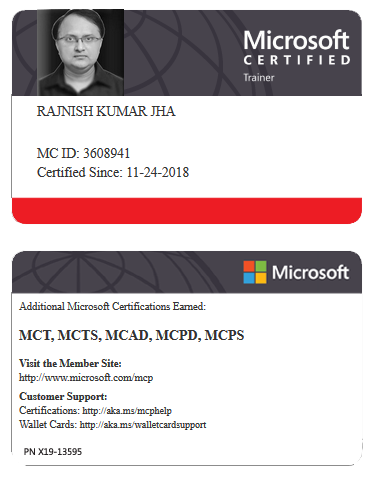
My Certifications

Popular Posts





Stay Connected
Unlock the full potential of Azure Cloud with me
– Your trusted guide to Azure mastery!
SUBSCRIBE
My newsletter for exclusive content and offers. Type email and hit Enter.
No spam ever. Unsubscribe anytime.
Read the Privacy Policy.