-

Learn the things to consider when using Azure App Service Scaling
When using Azure App Service scaling, there are several important factors to consider to ensure that your application performs optimally, remains cost-efficient, and meets the demands of users. Here’s a breakdown of key considerations when planning and implementing scaling for your Azure App Service. Traffic… [ Read More ]
-
Learn the things to consider when using Azure App Service Plans
When using Azure App Service Plans, there are several key factors to consider to ensure that you select the right plan for your application, meet performance and scalability requirements, and optimize for cost-effectiveness. Here's a comprehensive list of things you should consider. Pricing Tier and… [ Read More ]
-
Learn the things to consider when using Azure App Service Deployment Slots
When using deployment slots in Azure App Service, there are several factors you need to consider to make the most out of this feature and ensure smooth deployments, testing, and rollbacks. Here's a detailed breakdown of the key considerations. App Service Plan and Pricing Tier… [ Read More ]
-
Learn in detail about Application security groups (ASG) in Azure virtual network
Application Security Groups (ASGs) in Azure Virtual Network Application Security Groups (ASGs) are a feature of Azure Virtual Network (VNet) that allow you to group virtual machines (VMs) or other network resources based on their application roles or workloads. This grouping simplifies network security management… [ Read More ]
-
Learn how to work with Availability Sets on Azure
What Are Availability Sets in Azure? Availability Sets in Azure are a feature designed to increase the availability and resiliency of your Virtual Machines (VMs) by ensuring that they are distributed across multiple fault domains and update domains within a data center. This configuration protects… [ Read More ]
-
Learn how to use Shared Access Signatures (SAS) to delegate access to Azure Storage
Shared Access Signatures (SAS) provide a way to delegate access to Azure Storage resources without sharing your storage account keys. SAS allows you to grant specific permissions (e.g., read, write, delete) on storage resources for a limited time, which makes it ideal for temporary or… [ Read More ]
-
Learn how to use Azure Storage Explorer
Azure Storage Explorer is a free, standalone desktop application that allows you to manage and interact with your Azure Storage resources. It supports services like Blob Storage, File Storage, Queue Storage, and Table Storage. Here's how to use Azure Storage Explorer. Install Azure Storage Explorer… [ Read More ]
-
Learn how to plan for Maintenance and Downtime for Virtual machine on Azure
When planning for maintenance and downtime for Azure Virtual Machines (VMs), it is crucial to ensure that your application remains available, resilient, and secure while minimizing service interruptions. Azure provides several strategies and tools to plan, manage, and mitigate the impact of downtime, both for… [ Read More ]
-
Learn how to manage Azure File Shares
Managing Azure File Shares involves handling storage accounts, configuring file shares, setting up permissions, monitoring usage, and ensuring security. Here's a comprehensive guide. Create and Configure File Shares Create a File Share Go to your Storage Account in the . Select File shares under Data… [ Read More ]
-
Learn how to implement Soft Delete for Azure Files
Implementing soft delete for Azure Files protects your file shares by allowing you to recover deleted files or file shares within a specified retention period. Here's how to enable and configure soft delete for Azure Files. Steps to Implement Soft Delete for Azure Files Using… [ Read More ]

Rajnish Kumar Jha, MCT: DevOps, Azure, Microsoft Certified Trainer
DevOps, Cloud, Azure resources & blog
Author: Rajnish Kumar Jha
Featured Courses

Rajnish Kumar Jha
MCT, MCSA, MCSE, MCAD, MCPD, MCTS, MCSD
My name is Rajnish Kumar Jha. I am Technical architect on Azure Cloud and .NET since 21+ years. I’ve worked for pioneer companies and as freelance trainer/consultant helping my clients to achieve their IT goals.
I find blogging, a great way to share back what I’ve learned all through my professional journey. You are welcome to connect or share feedback/suggestion here or through an email.
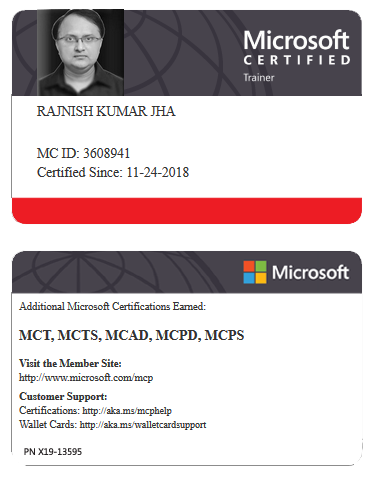
My MCT card (Microsoft)
My Certifications








Popular Posts





Stay Connected
Unlock the full potential of Azure Cloud with me
– Your trusted guide to Azure mastery!
SUBSCRIBE
My newsletter for exclusive content and offers. Type email and hit Enter.
No spam ever. Unsubscribe anytime.
Read the Privacy Policy.