-

How to create DNS zone and an A record by using Azure DNS
Below is a step-by-step guide for creating a DNS zone and adding an A (Address) Record using the Azure Portal. Prerequisites An active Azure subscription. A domain name (optional, for public zones). Step 1: Create a DNS Zone Sign in to Azure Portal: Navigate to… [ Read More ]
-
How to create Shared Access Signatures (SAS) in Azure
A Shared Access Signature (SAS) in Azure allows secure, time-limited access to resources in a storage account without exposing the storage account's access keys. Here’s a step-by-step guide to creating a SAS. Prerequisites You need an Azure Storage account. Ensure you have the required permissions… [ Read More ]
-
How to determine NSG Rules in Azure
What is a Network Security Group (NSG)? An NSG (Network Security Group) is a set of security rules that allow or deny traffic to Azure resources, such as Virtual Machines (VMs) and subnets. The rules in an NSG specify which traffic is allowed to flow… [ Read More ]
-
How to dynamically resolve resource name by using Alias record in Azure
Alias records in Azure DNS allow DNS names to point directly to Azure resources, such as Azure public IPs, Traffic Manager profiles, or Azure Content Delivery Network (CDN) endpoints. They dynamically resolve to the current IP address or endpoint of the target resource, eliminating the… [ Read More ]
-
How to extend peering with User-Defined Routes (UDRs) and Service Chaining
Extending VNet Peering with User-Defined Routes (UDRs) and Service Chaining enables advanced traffic management and network customization. This guide explains how to implement these features effectively. Key Concepts VNet Peering Direct connectivity between VNets in Azure, enabling seamless communication. User-Defined Routes (UDRs) Custom routing rules… [ Read More ]
-
How to identify URI and SAS parameters in Azure
Identifying and understanding the components of a URI (Uniform Resource Identifier) with a Shared Access Signature (SAS) in Azure is essential for working with secure access to Azure Storage resources. Here's how you can identify and interpret the URI and SAS parameters. Structure of a… [ Read More ]
-
How to implement Application Security Groups (ASG) in Azure virtual network
Application Security Groups (ASGs) in Azure allow you to manage and group virtual machines (VMs) based on their application roles for network security. They help you simplify the management of security rules without worrying about IP address assignments or VM scale set updates. Instead of… [ Read More ]
-
How to implement Service Endpoints in Azure
To implement Service Endpoints in Azure, follow these steps. Service Endpoints allow you to securely connect virtual network (VNet) subnets to Azure services like Azure Storage, Azure SQL Database, and others, without needing a public IP address. Steps to Implement Service Endpoints Step 1: Prepare… [ Read More ]
-
How to implement System Routes (SRs) and User-defined Routes (UDRs) in Azure
To implement System Routes and User-Defined Routes (UDRs) in Azure, follow these steps: System Routes Implementation System routes are automatically created by Azure. No manual setup is required for basic routing. They manage connectivity within a Virtual Network (VNet), between VNets, and to external networks.… [ Read More ]
-
How to strategies Azure Storage security
Reviewing Azure Storage security strategies ensures your implementation aligns with best practices to safeguard your data and services. Here's a structured review of essential strategies. Authentication and Authorization Strengths Azure AD Integration: Secure and centralized identity management. RBAC: Granular control of access to resources. Areas… [ Read More ]
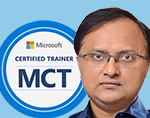
Rajnish Kumar Jha, MCT: DevOps, Azure, Microsoft Certified Trainer
DevOps, Cloud, Azure resources & blog
Author: Rajnish Kumar Jha
Featured Courses

Rajnish Kumar Jha
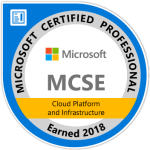
MCT, MCSA, MCSE, MCAD, MCPD, MCTS, MCSD
My name is Rajnish Kumar Jha. I am Technical architect on Azure Cloud and .NET since 21+ years. I’ve worked for pioneer companies and as freelance trainer/consultant helping my clients to achieve their IT goals.
I find blogging, a great way to share back what I’ve learned all through my professional journey. You are welcome to connect or share feedback/suggestion here or through an email.
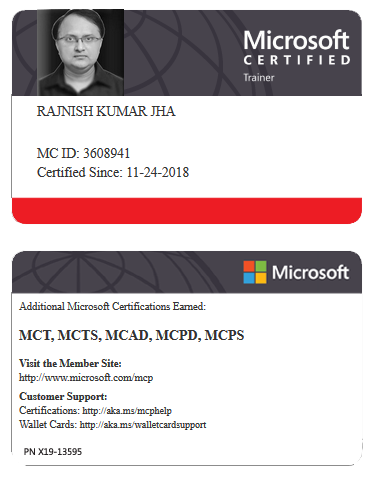
My MCT card (Microsoft)
My Certifications






Popular Posts





Stay Connected
Unlock the full potential of Azure Cloud with me
– Your trusted guide to Azure mastery!
SUBSCRIBE
My newsletter for exclusive content and offers. Type email and hit Enter.
No spam ever. Unsubscribe anytime.
Read the Privacy Policy.