-

Hand-on demonstration – Verify Azure Web App is running in the Azure Portal
To verify that your Web App is running in the Azure Portal, follow these steps to ensure that it is properly deployed and accessible: Here are the steps to verify a Web App is Running in the Azure Portal. Step 1. Check the Web App… [ Read More ]
-
Hands-on – Create and Connect to the Virtual Machine in Azure
This demonstration will guide you through creating a virtual machine in Microsoft Azure, configuring it, and connecting to it remotely via Remote Desktop Protocol (RDP) (for Windows VMs) or SSH (for Linux VMs). We'll break the steps into two parts: Create the Virtual Machine in… [ Read More ]
-
Hands-on – Create and deploy Azure App Service Plan and set the Scaling options
Creating and deploying an App Service Plan in Azure involves setting up the environment where your web app will run. This includes selecting the hosting infrastructure (e.g., region, pricing tier) and configuring scaling options to handle your application's load. Here's a step-by-step guide to create… [ Read More ]
-
Hands-on – Creating a Web App in the Azure Portal
Creating a Web App in the Azure Portal is a straightforward process. Azure App Service provides a platform for hosting web applications, APIs, and mobile backends, and it supports a wide range of technologies such as .NET, Node.js, Python, Java, and more. Here are the… [ Read More ]
-
Hands-on – Delegate access to Azure Storage using Shared Access Signatures
Let's go through a practical demonstration on how to use Shared Access Signatures (SAS) to delegate access to Azure Storage. In this example, we'll focus on Azure Blob Storage. The steps will include. Creating a Blob Container in Azure Storage Generating a SAS Token for… [ Read More ]
-
Hands-on – Learn how to Backup and Restore in Azure App Service
Backing up and restoring an Azure App Service is an essential practice for ensuring that your application and its data are safe in case of issues like accidental changes, data corruption, or other disruptions. Azure provides built-in tools to make backup and restore processes easier… [ Read More ]
-
Hands-on guide on using Azure Storage Explorer in Azure Storage
Azure Storage Explorer is a free, standalone tool from Microsoft that allows you to easily manage and interact with Azure Storage resources such as Blob Storage, Queue Storage, File Storage, and Table Storage. With Azure Storage Explorer, you can upload, download, and manage data within… [ Read More ]
-
Hands-on guide to delegating access to Azure Storage with stored access policies
Let's walk through a practical demonstration on how to use stored access policies to delegate access to Azure Storage, specifically for Blob Storage. We'll create a stored access policy on a blob container, then generate a SAS token tied to this policy to share access… [ Read More ]
-
How applications run and scale in Azure App Service Plans
In Azure App Service, applications run and scale within the context of an App Service Plan. The App Service Plan defines the underlying infrastructure, including the region, resource allocation, and pricing tier, while the App Service itself is where your actual applications (such as web… [ Read More ]
-
How Cloud Services Responsibilities works in Azure
In Microsoft Azure, cloud services responsibilities are divided between the cloud service provider (Microsoft) and the customer. This division of responsibilities is often described using the Shared Responsibility Model. The model outlines what Azure is responsible for securing and managing, and what the customer is… [ Read More ]
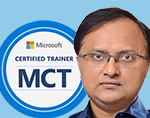
Rajnish Kumar Jha, MCT: DevOps, Azure, Microsoft Certified Trainer
DevOps, Cloud, Azure resources & blog
Author: Rajnish Kumar Jha
Featured Courses

Rajnish Kumar Jha
MCT, MCSA, MCSE, MCAD, MCPD, MCTS, MCSD
My name is Rajnish Kumar Jha. I am Technical architect on Azure Cloud and .NET since 21+ years. I’ve worked for pioneer companies and as freelance trainer/consultant helping my clients to achieve their IT goals.
I find blogging, a great way to share back what I’ve learned all through my professional journey. You are welcome to connect or share feedback/suggestion here or through an email.
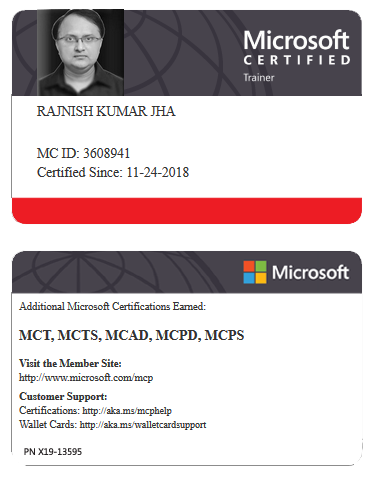
My MCT card (Microsoft)
My Certifications
Popular Posts





Stay Connected
Unlock the full potential of Azure Cloud with me
– Your trusted guide to Azure mastery!
SUBSCRIBE
My newsletter for exclusive content and offers. Type email and hit Enter.
No spam ever. Unsubscribe anytime.
Read the Privacy Policy.