-

Detailed guide on implementing an Internal Load Balancer in Azure
Implementing an Internal Load Balancer (ILB) in Azure enables you to distribute traffic across backend resources within a private network (Virtual Network, or VNet). Unlike a Public Load Balancer, an ILB does not expose a public IP address and is accessible only within the private… [ Read More ]
-
Detailed guide on implementing Public Load Balancer in Azure
Implementing a Public Load Balancer in Azure involves several steps. The Public Load Balancer distributes traffic from the internet to backend resources like Virtual Machines (VMs) within a Virtual Network (VNet). Here's a step-by-step guide to implement it. Plan Your Load Balancer Deployment Before creating… [ Read More ]
-
Easy way to implement Azure Storage in Azure
Implementing Azure Storage in Azure involves creating and configuring a storage account, selecting appropriate storage services, and integrating it with your applications or workflows. Here's how you can achieve this. Define Requirements Before implementation, consider: Data Type Structured, semi-structured, or unstructured. Performance Needs Standard or… [ Read More ]
-
Explore full list of SAS parameters in Azure URI
In Azure Storage, a Shared Access Signature (SAS) URI grants delegated access to resources in your storage account. Understanding the structure of a SAS URI and its components is essential for secure and effective access management. Structure of a SAS URI A SAS URI typically… [ Read More ]
-
Explore the different Replication Strategies in Azure Storage
Azure Storage offers several replication strategies to ensure data durability, availability, and high performance. These strategies determine how and where your data is copied to protect against data loss and provide redundancy. Here's an overview. Locally Redundant Storage (LRS) Description Data is replicated three times… [ Read More ]
-
Explore the types of Virtual Machine Maintenance and Downtime on Azure
On Azure, there are several types of Virtual Machine (VM) maintenance and downtime scenarios that can impact the availability of your VMs. These scenarios can be planned (e.g., for software updates or patches) or unplanned (e.g., due to failures in hardware, network, or other services).… [ Read More ]
-
Exploring Access Storage in Azure
Accessing storage in Azure Storage involves using various tools, services, and APIs designed to interact with Azure Storage resources, such as blobs, files, tables, and queues. Below is a detailed explanation of accessing Azure Storage, covering key methods, tools, and best practices. Azure Storage Services… [ Read More ]
-
Extended guide on creating Virtual Network Peering in Azure
Creating Virtual Network (VNet) peering in Azure is a straightforward process that enables direct connectivity between two VNets. This guide provides an extensive walkthrough, including prerequisites, configuration steps, verification, and best practices. Prerequisites Before you begin, ensure the following: 1. Azure Subscription Both VNets should… [ Read More ]
-
Hand-on – Add and Secure a Custom Domain on your App Service web-app
To add and secure a custom domain to your Azure App Service web app, follow these steps: Step 1: Add a Custom Domain to the App Service Access the Azure Portal: Navigate to Your App Service: In the left-hand sidebar, click on "App Services" and… [ Read More ]
-
Hand-on demonstration – Create and Verify a Web-app and add Deployment Slots in Azure App Service
Creating and managing a web app in Azure App Service along with adding deployment slots is a powerful way to handle multiple environments like development, staging, and production. Deployment slots allow you to deploy your web app to different environments without affecting the production app… [ Read More ]
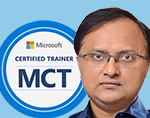
Rajnish Kumar Jha, MCT: DevOps, Azure, Microsoft Certified Trainer
DevOps, Cloud, Azure resources & blog
Author: Rajnish Kumar Jha
Featured Courses

Rajnish Kumar Jha
MCT, MCSA, MCSE, MCAD, MCPD, MCTS, MCSD
My name is Rajnish Kumar Jha. I am Technical architect on Azure Cloud and .NET since 21+ years. I’ve worked for pioneer companies and as freelance trainer/consultant helping my clients to achieve their IT goals.
I find blogging, a great way to share back what I’ve learned all through my professional journey. You are welcome to connect or share feedback/suggestion here or through an email.
My MCT card (Microsoft)
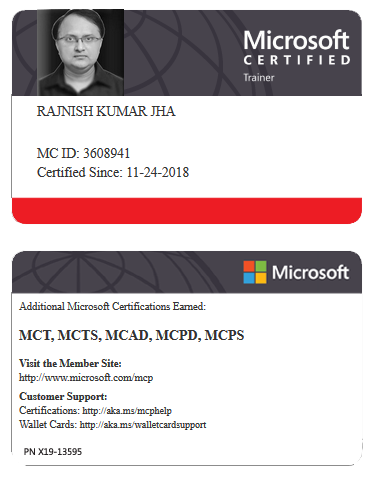
My Certifications



Popular Posts





Stay Connected
Unlock the full potential of Azure Cloud with me
– Your trusted guide to Azure mastery!
SUBSCRIBE
My newsletter for exclusive content and offers. Type email and hit Enter.
No spam ever. Unsubscribe anytime.
Read the Privacy Policy.