-
Diagnostic Information in Application Insights notifications
Diagnostic Information in Application Insights notifications When using Application Insights to monitor the health and performance of your applications, the diagnostic information in its notifications plays a critical role in triaging, scoping, and diagnosing issues. Let's break down how you can use this information effectively… [ Read More ]
-
Analyzing and setting when to get Notifications with Azure DevOps
Analyzing and setting when to get Notifications with Azure DevOps 'OR ### Examine When to Get Notifications for Smart Detection in Azure DevOps Smart Detection is a feature of Azure Application Insights (part of Azure Monitor) that uses machine learning and advanced algorithms to automatically… [ Read More ]
-

Regions and Regional Pairs in Azure
Regions and Regional Pairs in Microsoft Entra ID (formerly Azure Active Directory or Azure AD) refer to the geographical distribution of data centers and how Microsoft organizes and replicates services across regions. Understanding regions and regional pairs is essential for ensuring the availability, resilience, compliance,… [ Read More ]
-
Exploring IT Service Management Connector in Azure DevOps
Exploring IT Service Management Connector in Azure DevOps 'OR ### Exploring IT Service Management (ITSM) Connector in Azure DevOps The IT Service Management (ITSM) Connector in Azure DevOps allows you to integrate Azure DevOps with popular ITSM systems like ServiceNow and BMC Helix. This integration… [ Read More ]
-

Acquaint yourself with the relevant information about Azure Activity Logs
Azure Activity Logs are a fundamental aspect of monitoring and auditing within Azure, providing insights into operations on Azure resources. Here's what you need to know: What Are Activity Logs? Definition: Activity logs capture control-plane events at the subscription level, detailing operations like creating, updating,… [ Read More ]
-
Examining monitoring tools and technologies in Azure DevOps
Examining monitoring tools and technologies in Azure DevOps 'OR ### Examine Monitoring Tools and Technologies in Azure DevOps Monitoring is an essential part of any DevOps pipeline, as it helps teams to ensure the health, performance, and reliability of their applications and infrastructure throughout the… [ Read More ]
-
Telemetry with Azure DevOps: Common sources, Benefits, and Challenges
Telemetry with Azure DevOps: Common sources, Benefits, and Challenges 'OR ### Integrating Telemetry with Azure DevOps Telemetry integration in Azure DevOps involves collecting real-time data and insights from various stages of the software development lifecycle. This data, known as telemetry, can provide valuable information on… [ Read More ]
-
Integrating Telemetry with Azure DevOps
Integrating Telemetry with Azure DevOps Telemetry integration in Azure DevOps is essential for gathering real-time data about the performance, usage, and health of your applications, processes, and environments. By integrating telemetry into your Azure DevOps pipeline, you can collect valuable insights to improve productivity, detect… [ Read More ]
-
Exploring rapid responses and augmented search in Azure DevOps
Exploring rapid responses and augmented search in Azure DevOps In the fast-paced world of software development, efficient and quick access to information is crucial for productivity. Azure DevOps has a robust set of tools for managing code, builds, pipelines, and work items, but the sheer… [ Read More ]
-
Integrating GitHub and Azure DevOps with Microsoft Teams
Integrating GitHub and Azure DevOps with Microsoft Teams 'OR ### Integrating GitHub and Azure DevOps with Microsoft Teams Integrating GitHub and Azure DevOps with Microsoft Teams allows teams to streamline their development and collaboration workflows. By bringing GitHub and Azure DevOps information into Teams, team… [ Read More ]

Rajnish Kumar Jha, MCT: DevOps, Azure, Microsoft Certified Trainer
DevOps, Cloud, Azure resources & blog
Author: Rajnish Kumar Jha
Featured Courses

Rajnish Kumar Jha
MCT, MCSA, MCSE, MCAD, MCPD, MCTS, MCSD
My name is Rajnish Kumar Jha. I am Technical architect on Azure Cloud and .NET since 21+ years. I’ve worked for pioneer companies and as freelance trainer/consultant helping my clients to achieve their IT goals.
I find blogging, a great way to share back what I’ve learned all through my professional journey. You are welcome to connect or share feedback/suggestion here or through an email.
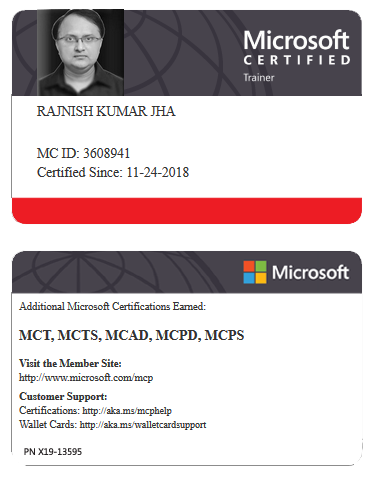
My MCT card (Microsoft)
My Certifications








Popular Posts





Stay Connected
Unlock the full potential of Azure Cloud with me
– Your trusted guide to Azure mastery!
SUBSCRIBE
My newsletter for exclusive content and offers. Type email and hit Enter.
No spam ever. Unsubscribe anytime.
Read the Privacy Policy.