-

How to import bulk user accounts with a template in Microsoft Entra ID?
Importing bulk user accounts into Microsoft Entra ID (formerly Azure Active Directory, or Azure AD) can be done efficiently using a CSV template. Microsoft provides an easy-to-follow process for this using the Azure portal or PowerShell. Below, I’ll describe the steps for importing users using… [ Read More ]
-
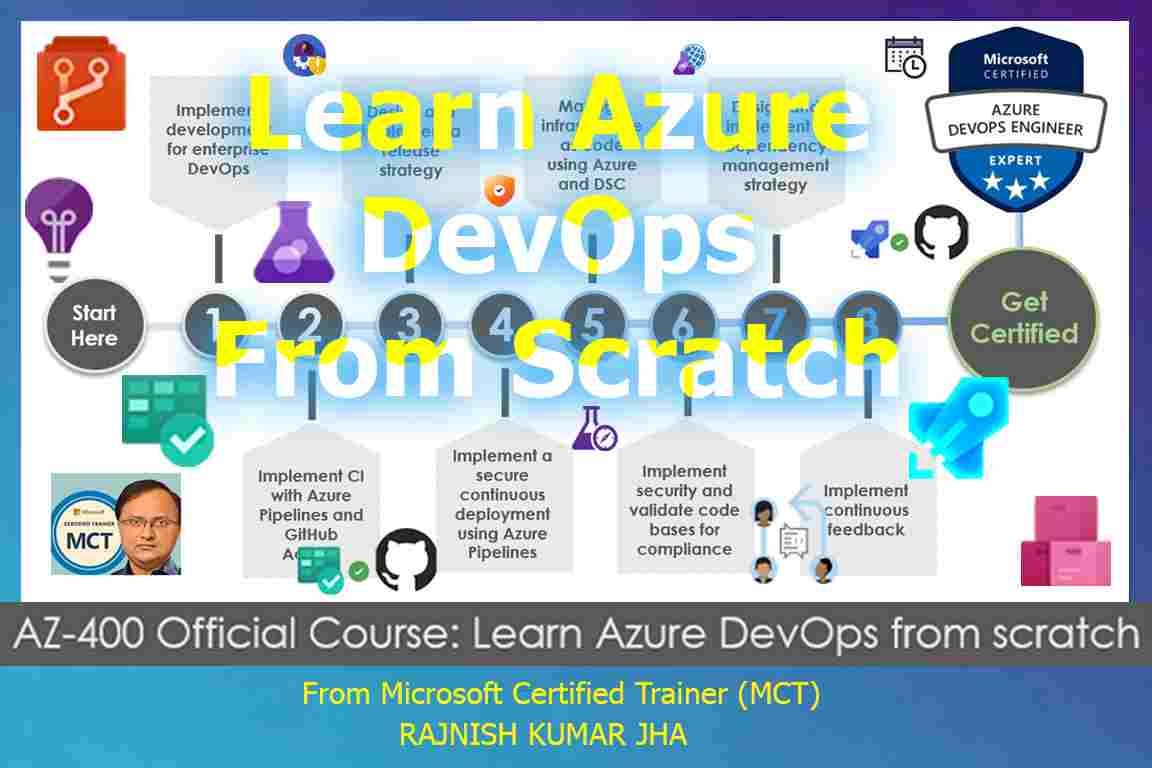
Learn how to implement Scalar and Cross Repo Sharing
Learn how to implement Scalar and Cross Repo Sharing When working with multiple repositories, Scalar and Cross Repository Sharing techniques help manage and share changes efficiently. These methods provide solutions to handle code and data across repositories, ensuring a seamless workflow for collaboration, version control,… [ Read More ]
-

Learn about the Azure Alert summary view
The Azure Alert Summary View provides a comprehensive, centralized view of all alerts within Azure Monitor, allowing users to monitor, manage, and act on triggered alerts. It helps users gain insights into the health and performance of their resources in real time, offering an overview… [ Read More ]
-
Learn how to work with Large Repositories in Git
Learn how to work with Large Repositories in Git Large repositories can arise due to several factors, such as long histories, large binary files, and extensive commits. Managing these large repositories efficiently is essential for maintaining performance and collaboration. Below are key reasons why repositories… [ Read More ]
-
Hands-on Demo – Managing Inner Source with Forks
Hands-on Demo – Managing Inner Source with Forks In this demonstration, we’ll explore how Inner Source can be effectively managed using forks within a Git-based workflow. Forking allows contributors from different teams or departments to work independently on their own copies of a repository while… [ Read More ]
-
Exploring Advanced Scenarios Involving Forks
Exploring Advanced Scenarios Involving Forks In advanced scenarios, using forks can facilitate complex workflows involving collaboration, integration, and management across multiple repositories or teams. Below are some advanced scenarios with workflows that leverage forks. 1. Forking for Long-Term Development and Feature Development In large projects,… [ Read More ]
-
Hands-on Demo – Implementing Fork Workflow in Git
Hands-on Demo – Implementing Fork Workflow in Git Implementing Fork Workflow Fork Workflow is commonly used when working with Git repositories where collaboration and code sharing between teams or contributors is required. This workflow allows contributors to work on their own copies (forks) of a… [ Read More ]
-
Exploring Foster Inner Source
Exploring Foster Inner Source Inner Source is a software development practice that applies open source software development principles to software projects within an organization. It encourages teams to adopt transparency, collaboration, and community engagement internally to foster innovation, improve productivity, and accelerate development cycles. Key… [ Read More ]
-
Advanced Implementation of Git Hooks with CI/CD Pipelines
Advanced Implementation of Git Hooks with CI/CD Pipelines Integrating Git hooks with CI/CD pipelines streamlines workflows, automates testing, and ensures continuous delivery. Below, we’ll explore how to use Git hooks in conjunction with CI/CD tools such as GitHub Actions, Azure DevOps, and Jenkins. Integrating Git… [ Read More ]
-
What are Administrative Units in Entra ID?
Administrative Units (AUs) in Microsoft Entra ID (formerly Azure Active Directory, or Azure AD) are a feature that allows organizations to delegate administrative permissions and management of specific subsets of their directory in a controlled and scoped manner. They provide a way to create administrative… [ Read More ]
Rajnish Kumar Jha, MCT: DevOps, Azure, Microsoft Certified Trainer
DevOps, Cloud, Azure resources & blog
Author: Rajnish Kumar Jha
Featured Courses

Rajnish Kumar Jha
MCT, MCSA, MCSE, MCAD, MCPD, MCTS, MCSD
My name is Rajnish Kumar Jha. I am Technical architect on Azure Cloud and .NET since 21+ years. I’ve worked for pioneer companies and as freelance trainer/consultant helping my clients to achieve their IT goals.
I find blogging, a great way to share back what I’ve learned all through my professional journey. You are welcome to connect or share feedback/suggestion here or through an email.
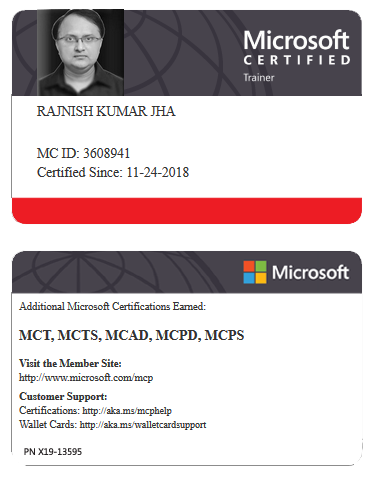
My MCT card (Microsoft)
My Certifications

Popular Posts





Stay Connected
Unlock the full potential of Azure Cloud with me
– Your trusted guide to Azure mastery!
SUBSCRIBE
My newsletter for exclusive content and offers. Type email and hit Enter.
No spam ever. Unsubscribe anytime.
Read the Privacy Policy.